A Time-Lapse Camera from Spare Parts
The record library left me with a Raspberry Pi, a webcam and a button on my dad's workbench, and nothing left to scan. The next morning it was a time-lapse camera. Over the following week it rode in the car, ran unattended at a cabin, and picked up more features than I'd planned, most of them because something broke.
1One button
Tap to start, tap to stop. While it records, the Pi saves a frame every ten seconds and feeds each one into a video encoder as it goes, so there's always a video of the session so far. The Pi's own green light blinks slowly while it's recording. A session picks up where it left off after a restart. Everything else happens on a web page the Pi serves itself, which works from a laptop or a phone.
2Watching it live, like a video site
The first viewer just played the growing video file, reloading it every few seconds. That got old fast. I wanted it to behave like a live stream on a video site: open at the live edge with a LIVE button, scrub anywhere instantly with a thumbnail and the clock time under your finger, and keep playing as new footage arrives.
To get there, the Pi indexes the video file in small fragments as it grows, and the page fetches only the few seconds around wherever you are. Jumping to any point plays right away, and a full day of footage never piles up in the browser's memory.
Two problems surfaced along the way:
- The live edge was 10 to 13 minutes behind. The encoder was buffering its output and writing in batches. One flag that tells it to write each frame out immediately brought the lag from 60–80 frames down to 2 or 3.
- A power cut left 50 empty photos. The recorder renamed each photo into place without first forcing it onto the card, so after the outage the names survived and the pictures didn't. Now every frame is flushed to the card before it's renamed, and empty files are skipped so the scrub preview and the video stay lined up.
3Graphs, and a lesson about naming them
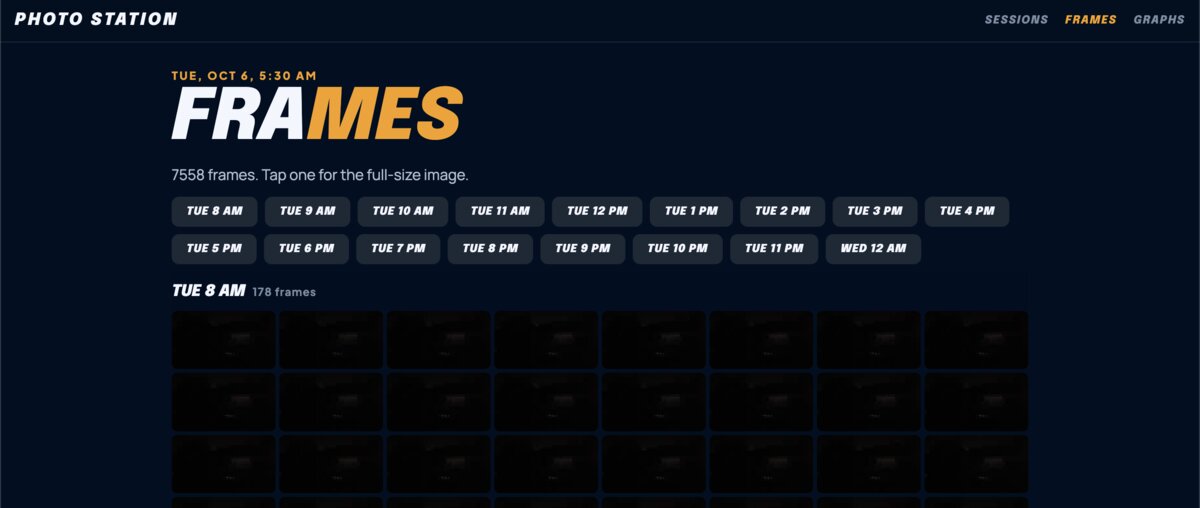
Every frame gets measured as it's taken: brightness of the sky, the ground and the whole frame, color, edge detail, how much it changed from the frame before, plus the Pi's own temperature, power warnings and free space. A graphs page shows them all on one time axis; touch anywhere and you get that moment's thumbnail and numbers. No internet needed, which mattered at the cabin.
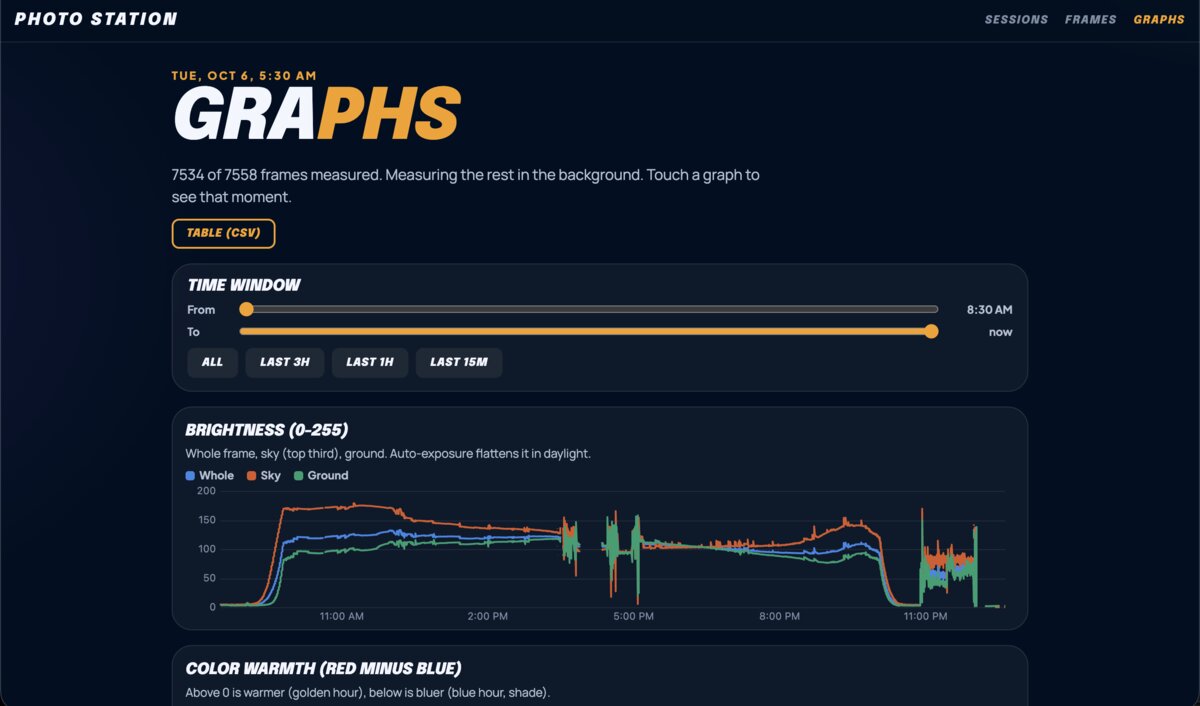
The first morning, the graph I'd called "Motion" spiked four times. I went looking for what moved. Nothing had, except the dog once. The spikes were the camera adjusting its exposure. The graph wasn't measuring motion; it was measuring frame change, and calling it motion was a guess about the cause. So it got renamed, and a rule came out of it: keep measurement and analysis separate. The Pi records raw measurements and never reinterprets them. Anything that interprets them ("a dog walked by," "sunrise was at 7:12") is a separate layer that can be recomputed or thrown away.
One cheap signal fell out of the car rides: whenever we drove under an overpass, the top of the frame got darker than the bottom. "Sky darker than ground" turns out to be a decent detector for overhead cover.
4Working away from home
- Its own Wi-Fi. If no familiar network is in range, the Pi starts its own, so a phone can still reach the page in a field or a cabin. It keeps checking and rejoins a known network when one comes back.
- A borrowed clock. A Pi has no battery-backed clock, so offline, its clock starts from whenever it last shut down. Now every page load sends the phone's time, and if the Pi is off by more than ten seconds, it sets its clock to the phone's time. It got a real test: the car's USB power cut out, the Pi rebooted 29 minutes behind with no internet, and the next page load fixed it.
- From anywhere. Over a private network on my phone, I could check on it from a cellular connection miles away.
- Phone notifications for things worth knowing about, like a stalled recording.
- Updates that never interrupt a recording: security updates install daily, but the Pi never reboots on its own.
5Power, the boring hard part
The car's own USB-C port ran it fine. A 2.4-amp power bank didn't: a Pi 4 needs a solid 5 volts at 3 amps, and that bank couldn't deliver it. A 20,000 mAh bank that can runs it for roughly eight to ten hours. At ten-second intervals a day of footage takes about 95 MB an hour, so storage was never the limit; power was.
6What it cost
| Part | Cost |
|---|---|
| Raspberry Pi 4 (2 GB) | ~$45 |
| Aluminum case | $12.95 |
| Momentary button | $7.95 |
| 1080p USB webcam | ~$25 |
| microSD card, USB-C power supply, jumper wires | ~$16 |
| Station | ~$107 |
| Power bank, for portable use | $20 |
Built with Claude Code, Anthropic's LLM coding tool, from my terminal. I decided what it should do and when something looked wrong; it generated the code.
7Next
The idea I like most: always capture densely, every two seconds, and decide the pacing afterward. The finished video would use every frame where something is happening and only a few where nothing is, picked by that frame-change measurement. Then, once a session is built, drop the frames the video didn't need. That, a better Wi-Fi antenna, and figuring out what the graphs are really for are the next round.
レコードのライブラリ作りが終わって、父の作業台には Raspberry Pi とウェブカメラとボタンが残り、スキャンするものはもうありませんでした。次の朝、それはタイムラプスカメラになっていました。それから一週間、車に乗り、山小屋で無人で動き、予定よりたくさんの機能が増えました。そのほとんどは、何かが壊れたからです。
1ボタンは一つ
タップで開始、もう一度タップで停止。記録中、Pi は十秒ごとにフレームを一枚保存し、そのたびにビデオエンコーダーに送ります。だから、そこまでのセッションの動画がいつでもあります。記録中は Pi 本体の緑のランプがゆっくり点滅します。再起動しても、セッションは止まったところから続きます。それ以外のことはすべて、Pi が自分で配信するウェブページで行います。ノートパソコンからでもスマホからでも使えます。
2動画サイトのようにライブで見る
最初のビューアーは、大きくなっていく動画ファイルを数秒ごとに読み込み直して再生するだけでした。これはすぐに嫌になりました。動画サイトのライブ配信のように動いてほしかったのです。LIVE ボタン付きでライブの先端から開き、どこへでも即座にシークでき、指の下にサムネイルと時刻が出て、新しい映像が来ても再生が続く。
そのために、Pi は動画ファイルが大きくなるにつれて小さな断片ごとにインデックスを作り、ページはいま見ている位置の前後数秒だけを取りにいきます。どこへ飛んでもすぐに再生でき、一日分の映像がブラウザのメモリにたまることもありません。
途中で、二つの問題が出てきました。
- ライブの先端が10〜13分遅れていた。エンコーダーが出力をバッファにためて、まとめて書き出していました。各フレームをすぐ書き出すよう指示するフラグ一つで、遅れは60〜80フレームから2〜3フレームになりました。
- 停電で、空の写真が50枚残った。記録プログラムは、写真をカードに確実に書き込む前に、名前を変えて所定の場所に置いていました。そのため停電のあと、名前は残っても中身の写真は残りませんでした。いまは各フレームを、名前を変える前にカードへ書き出しきり、空のファイルは飛ばすので、シークのプレビューと動画がずれません。
3グラフと、名前のつけ方の教訓
撮るたびに、各フレームを測ります。空、地面、フレーム全体の明るさ、色、輪郭の細かさ、前のフレームからどれだけ変わったか。それに Pi 自身の温度、電源の警告、空き容量。グラフのページでは、それを全部一つの時間軸に並べます。どこかに触れると、その瞬間のサムネイルと数値が出ます。インターネットは要りません。山小屋ではそれが大事でした。
最初の朝、「Motion」(動き)と名づけたグラフが四回跳ね上がりました。何が動いたのか探しに行きました。何も動いていませんでした。一度、犬が通っただけです。跳ね上がりは、カメラが露出を調整したものでした。グラフは動きを測っていたのではなく、フレームの変化を測っていたのです。それを「動き」と呼ぶのは、原因についての推測でした。そこで名前を変え、そこから一つのルールが生まれました。測定と分析は分けておく。Pi は生の測定値を記録し、決して解釈し直しません。それを解釈するもの(「犬が通った」「日の出は7時12分」)は別の層で、計算し直したり捨てたりできます。
車で走っているうちに、手軽な信号が一つ見つかりました。高架の下を通るたびに、フレームの上側が下側より暗くなるのです。「空が地面より暗い」は、頭上をふさぐものを見つけるのに、けっこう使える検出方法でした。
4家を離れて動かす
- 自分の Wi-Fi。知っているネットワークが圏内にないと、Pi は自分でネットワークを立ち上げます。だから野原でも山小屋でも、スマホからページにつながります。その間も確認を続け、知っているネットワークが戻ってきたら、そちらにつなぎ直します。
- 借りてくる時計。Pi には、バッテリーで動き続ける時計がありません。そのためオフラインで起動すると、時計は最後に電源を切ったときの時刻から動き出します。いまはページを読み込むたびにスマホの時刻を送り、Pi の時刻が十秒以上ずれていれば、スマホの時刻に合わせ直します。これは実際に試されました。車の USB 電源が切れ、Pi はインターネットなしで29分遅れて再起動し、次にページを読み込んだときに直りました。
- どこからでも。スマホのプライベートネットワーク経由で、何キロも離れたところからモバイル回線で様子を見られました。
- スマホへの通知。記録が止まったときなど、知っておくべきことを知らせます。
- 記録を止めないアップデート。セキュリティアップデートは毎日入りますが、Pi が勝手に再起動することはありません。
5電源、地味で難しいところ
車の USB-C ポートでは問題なく動きました。2.4アンペアのモバイルバッテリーではだめでした。Pi 4 は安定した5ボルト3アンペアを必要とし、そのバッテリーでは足りなかったのです。それを出せる20,000 mAh のバッテリーなら、およそ8〜10時間動きます。十秒間隔なら、一日分の映像は1時間あたり約95 MB なので、容量が限界になることはありませんでした。限界は電源でした。
6かかった費用
| 部品 | 費用 |
|---|---|
| Raspberry Pi 4(2 GB) | 約$45 |
| アルミケース | $12.95 |
| モーメンタリーボタン | $7.95 |
| 1080p USB ウェブカメラ | 約$25 |
| microSD カード、USB-C 電源、ジャンパー線 | 約$16 |
| ステーション | 約$107 |
| 持ち運び用のモバイルバッテリー | $20 |
Anthropic の LLM コーディングツール Claude Code を使って、私のターミナルから作りました。何をさせるか、どこがおかしく見えるかを決めたのは私で、コードは Claude Code が生成しました。
7次に
いちばん気に入っているアイデアはこれです。いつも二秒ごとに細かく撮っておき、テンポはあとで決める。完成した動画では、何かが起きているところは全部のフレームを使い、何も起きていないところは少しだけ使う。選ぶのは、あのフレームの変化の測定値です。そして、セッションの動画ができたら、動画に使わなかったフレームは捨てる。それと、もっといい Wi-Fi アンテナ、グラフがそもそも何のためにあるのかを見極めること。それが次のラウンドです。
Want the next one?
New posts by email, now and then. Nothing else.