A Record Library for My Dad
My dad was done with his record collection. Decades of LPs on garage shelves: big bands, soundtracks, Dixieland, a signed record or two. Before anything went anywhere, the family needed to see what was there, so each of us could set aside the ones that meant something to us. Nobody wanted to flip through four hundred records with a notepad.
So on a visit I built a little scanning station, and we inventoried the whole collection in about three and a half hours.
1The station
A Raspberry Pi 4 in an aluminum case, a 1080p USB webcam pointing straight down, and one big button. Set a record down and press: that's the front. Flip it and press again: that's the back. Hold the button for three seconds to start a new shelf. Each photo uploads straight to a small web app on my laptop, where you can watch it arrive.
The plan was a pair of photos per record, front and back, because the back carries the label, catalog number and track list, which is what identifies the exact pressing.
2Extracting the covers with an LLM
Typing 462 records by hand was the thing to avoid. Each front-and-back pair went to Claude, Anthropic's LLM, through its API with a fixed output schema. It returned structured fields: artist, title, label, catalog number, year, visible condition, and a confidence score. A row landed in a spreadsheet as each pair finished.
Then each row was matched against Discogs, the big community record database: barcode first, then catalog number, then artist and title, using the track list to choose between pressings. 443 of the 462 matched a specific release, which also brought in the year, the label and the lowest current marketplace price. Added up, those listings come to about $2,600, and the real value is much, much less. Most of my dad's records are badly water damaged; plenty of them probably wouldn't play. Which is exactly why the scans matter. The covers, the liner notes, which pressing he had: all of it is preserved now, in a form nobody has to dig out of a damp garage to see.
The webcam was the weak link. At 1080p with a wide lens, the fine print on a back cover is often unreadable. Rather than buy a better camera, the plan leaned on Discogs: capture what comes through clearly on camera and reconcile against the database afterward.
3Switching to the phone
Ninety-four records in, the button station was working, but my phone was faster. I added a phone page to the same web app: snap side A and side B in either order, and they pair up and go through the same pipeline. The rest of the shelves went through the phone. The station had done its job: it proved the pipeline, and the pipeline worked the same no matter which camera fed it.
4Four ways to look at a collection
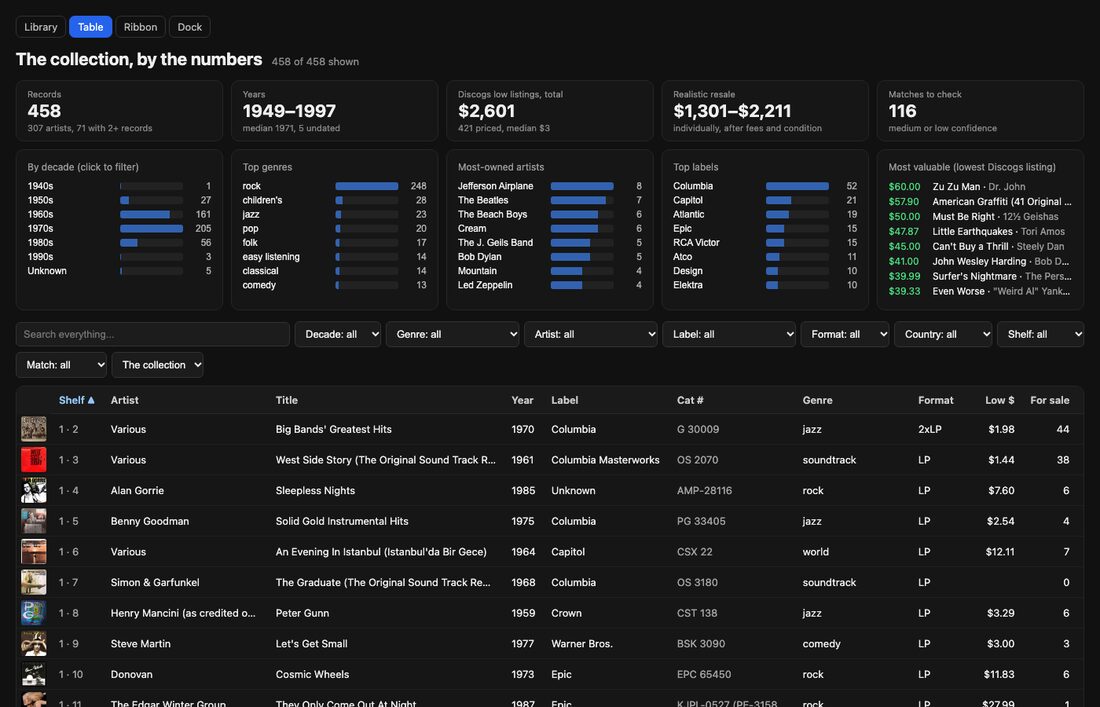
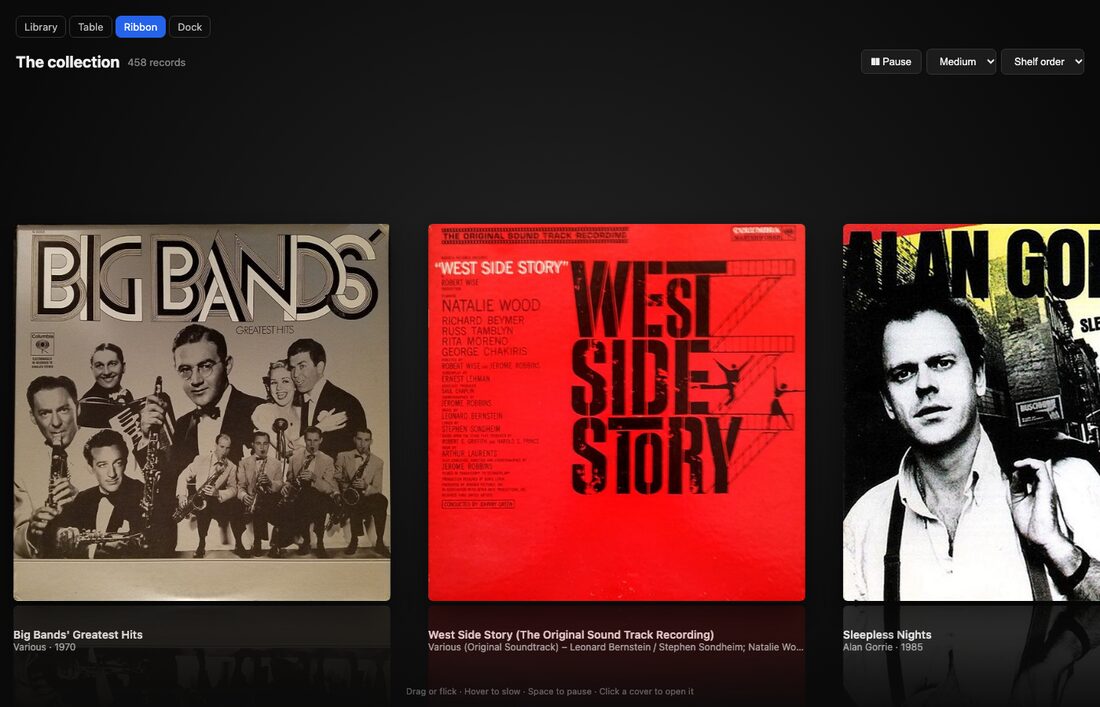
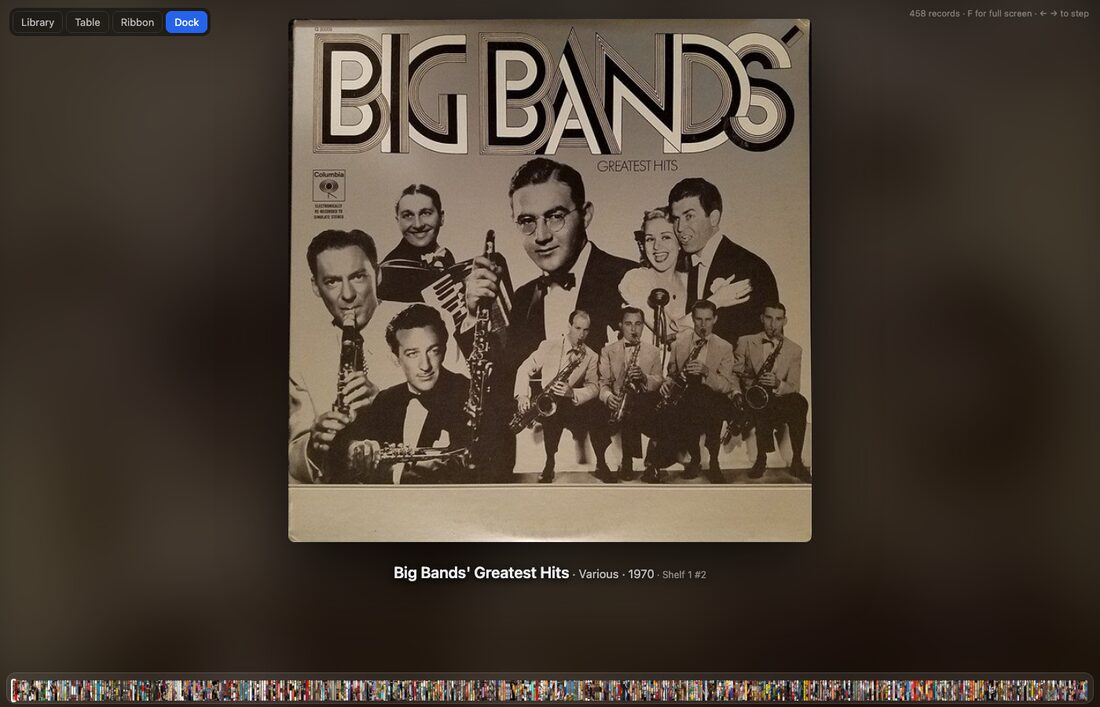
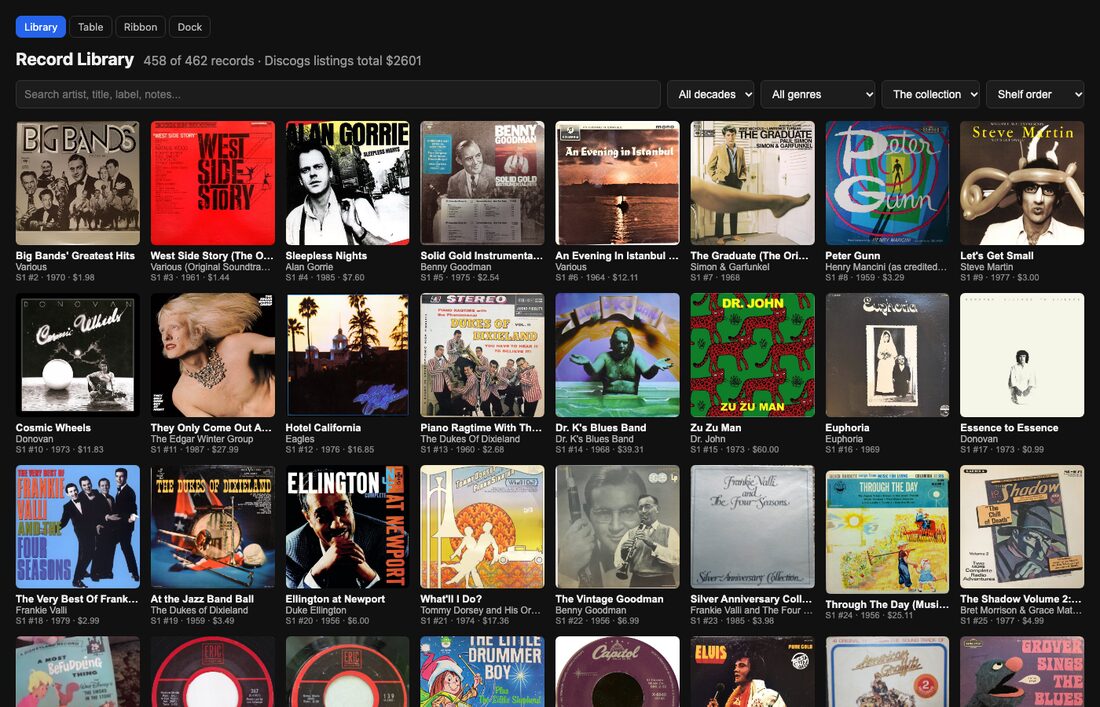
The library page is the everyday one: search across artist, title, label and notes, filter by decade and genre, and click any cover to see both scans.
There are two copies. The family copy shows who has set aside which record, so we can sort out who gets what. The public copy linked above is the same collection with names hidden.
5What fought back
| Problem | What worked |
|---|---|
Writing the Pi's SD card on macOS 26: dd to the raw disk failed with "Operation not permitted," even as root, even with Full Disk Access. | Piping the image into authopen, the helper disk-imaging apps use. Also: a script printed "WRITE DONE" after a failed write, so check the partitions, not the message. |
| The Pi dropped off Wi-Fi minutes after booting. | Wi-Fi power saving, on by default. Turned off, and baked into the setup script. |
| A rainbow-screen boot loop. | A weak power supply. The Pi 4 needs a solid 5V, 3A. |
| A backlit test shot came back unreadable. | Keep window light off the jacket; light from an angle to avoid glare on shrink-wrap. |
6What's next
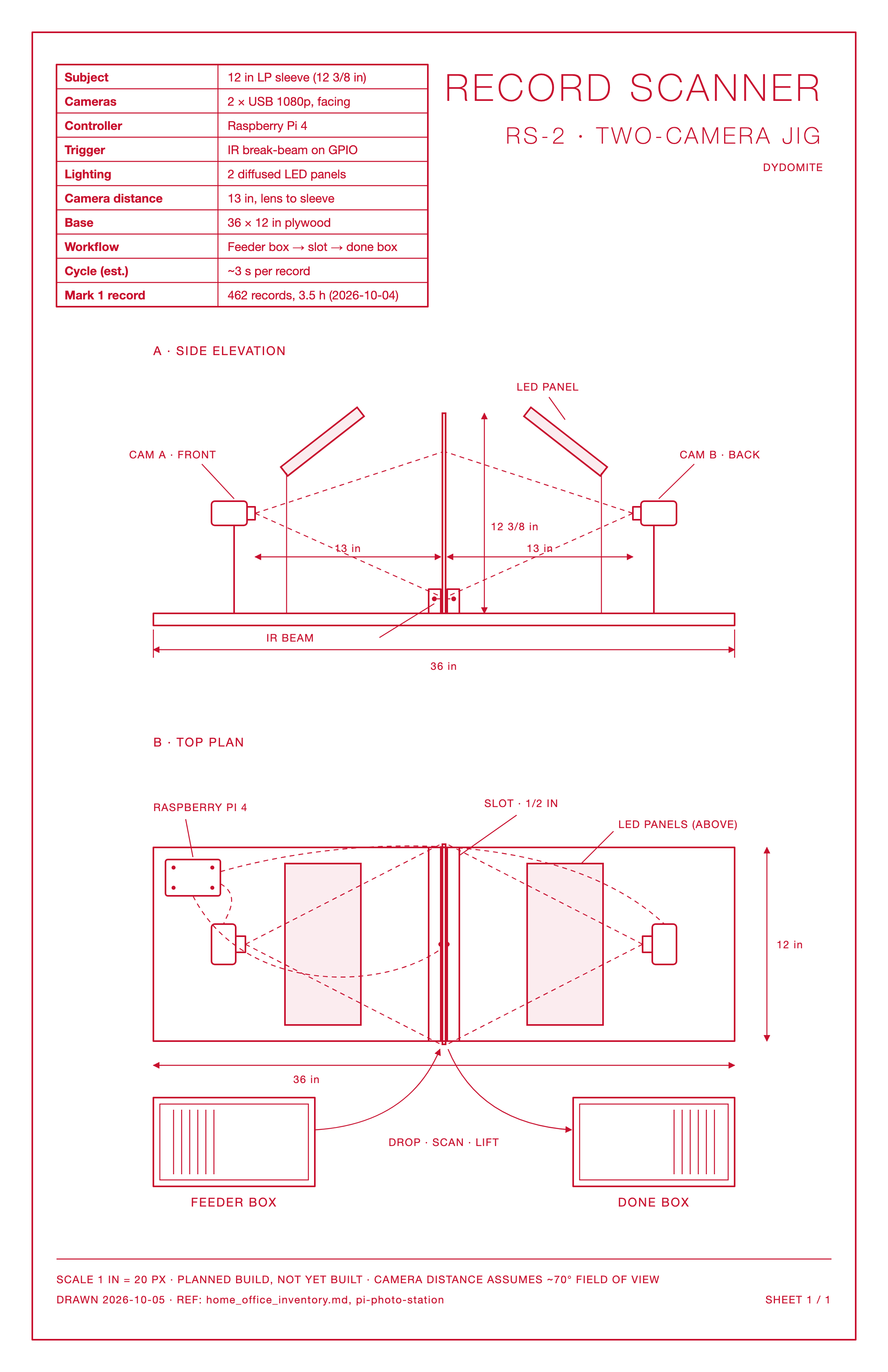
If I did this again for a bigger collection, I'd build a jig: drop a record into a slot between two cameras, a light beam triggers both, front and back in about three seconds, lift it into the done box. The drawing is above.
The same Pi then turned into something else on that trip, a time-lapse camera. That's its own post.
7The real payoff
None of the engineering was the point. When it was done, I put the ribbon view up on my dad's television, and we sat down and let the covers drift by. For about an hour and a half he sat there staring at the screen, telling me stories as each one went by.
That was the payoff.
父は、レコードのコレクションを手放すことにしました。ガレージの棚に、何十年分もの LP があります。ビッグバンド、サウンドトラック、ディキシーランド、サイン入りのレコードも一、二枚。どこかへ行く前に、家族は何があるのかを見て、それぞれ思い入れのあるものを取っておけるようにする必要がありました。四百枚のレコードを、メモ帳を手にめくりたい人はいませんでした。
そこで、帰省したときに小さなスキャンステーションを作り、コレクション全体を約三時間半で目録にしました。
1ステーション
アルミケースに入った Raspberry Pi 4、真下を向いた 1080p の USB ウェブカメラ、そして大きなボタンが一つ。レコードを置いて押すと、それが表。裏返してもう一度押すと、それが裏。ボタンを3秒押し続けると、新しい棚の始まりです。写真は一枚ずつ、私のノートパソコンで動く小さな Web アプリにそのままアップロードされ、届く様子を見ていられます。
計画では、レコード一枚につき表と裏の写真を一組撮ることにしていました。裏にはレーベル、カタログ番号、曲目が載っていて、それで正確なプレスが特定できるからです。
2LLM でジャケットから情報を取り出す
462枚を手で入力するのは避けたいところでした。表と裏の一組ずつを、Anthropic の LLM である Claude に、出力スキーマを固定した API で送りました。返ってくるのは、アーティスト、タイトル、レーベル、カタログ番号、年、見た目の状態、確信度といった構造化されたフィールドです。一組終わるごとに、スプレッドシートに一行が加わりました。
次に、各行を大きなコミュニティ型のレコードデータベースである Discogs と照合しました。まずバーコード、次にカタログ番号、それからアーティストとタイトルで探し、プレスの違いは曲目で見分けます。462枚のうち443枚が特定のリリースと一致し、年、レーベル、マーケットプレイスでの現在の最安値もわかりました。それらの出品価格を合計すると約2,600ドルになりますが、実際の価値はずっと、ずっと低いです。父のレコードのほとんどはひどく水をかぶっていて、多くはおそらく再生できません。だからこそ、スキャンが大事なのです。ジャケット、ライナーノーツ、父が持っていたのがどのプレスだったか。そのすべてが今は残っていて、湿ったガレージから掘り出さなくても見られます。
弱点はウェブカメラでした。広角レンズの 1080p では、裏ジャケットの細かい文字が読めないことがよくあります。もっといいカメラを買う代わりに、Discogs に頼ることにしました。カメラにはっきり写るものを取り込み、あとでデータベースと突き合わせるのです。
3スマホに切り替える
94枚まで進んだところで、ボタンのステーションはうまく動いていましたが、私のスマホの方が速いとわかりました。同じ Web アプリにスマホ用のページを足しました。A面と B面をどちらの順番で撮っても一組にまとまり、同じパイプラインを通ります。残りの棚はスマホで済ませました。ステーションは役目を果たしました。パイプラインが動くことを証明し、そのパイプラインは、どのカメラの写真でも同じように動きました。
4コレクションの四つの見方
ライブラリーのページは普段使い用です。アーティスト、タイトル、レーベル、メモをまとめて検索でき、年代やジャンルで絞り込めて、どのジャケットをクリックしても両面のスキャンが見られます。
コピーは二つあります。家族用のコピーには、誰がどのレコードを取っておいたかが表示されるので、誰が何をもらうかを決められます。上でリンクしている公開用のコピーは、同じコレクションから名前を隠したものです。
5手こずったこと
| 問題 | うまくいった方法 |
|---|---|
macOS 26 で Pi の SD カードに書き込むとき、raw ディスクへの dd が「Operation not permitted」で失敗しました。root でも、フルディスクアクセスがあってもだめでした。 | ディスクイメージ作成アプリが使うヘルパー、authopen にイメージをパイプで渡しました。それと、書き込みに失敗してもスクリプトが「WRITE DONE」と表示したので、メッセージではなくパーティションを確認すること。 |
| 起動して数分で、Pi が Wi-Fi から落ちました。 | Wi-Fi の省電力機能が、初期状態でオンになっていました。オフにして、セットアップスクリプトにも組み込みました。 |
| 虹色の画面のまま、起動がループしました。 | 電源が弱かったのです。Pi 4 には安定した 5V、3A が必要です。 |
| 逆光で撮ったテストの写真が読めませんでした。 | 窓の光をジャケットに当てないこと。シュリンクラップの反射を避けるため、斜めから照らすこと。 |
6これから
もっと大きなコレクションでもう一度やるなら、治具を作ります。2台のカメラの間のスロットにレコードを落とすと、光のビームが両方のカメラを作動させて約3秒で表と裏を撮り、終わったら完了の箱へ移します。図面は上のとおりです。
同じ Pi は、その旅行中に別のもの、タイムラプスカメラになりました。それはまた別の記事で。
7本当の収穫
エンジニアリングはどれも目的ではありませんでした。終わってから、父のテレビにリボン表示を映し、二人で座ってジャケットが流れていくのを眺めました。一時間半ほど、父は画面を見つめながら、一枚流れるたびに思い出話をしてくれました。
それが収穫でした。
Want the next one?
New posts by email, now and then. Nothing else.